


Step by step
01
Disconnect the existing login
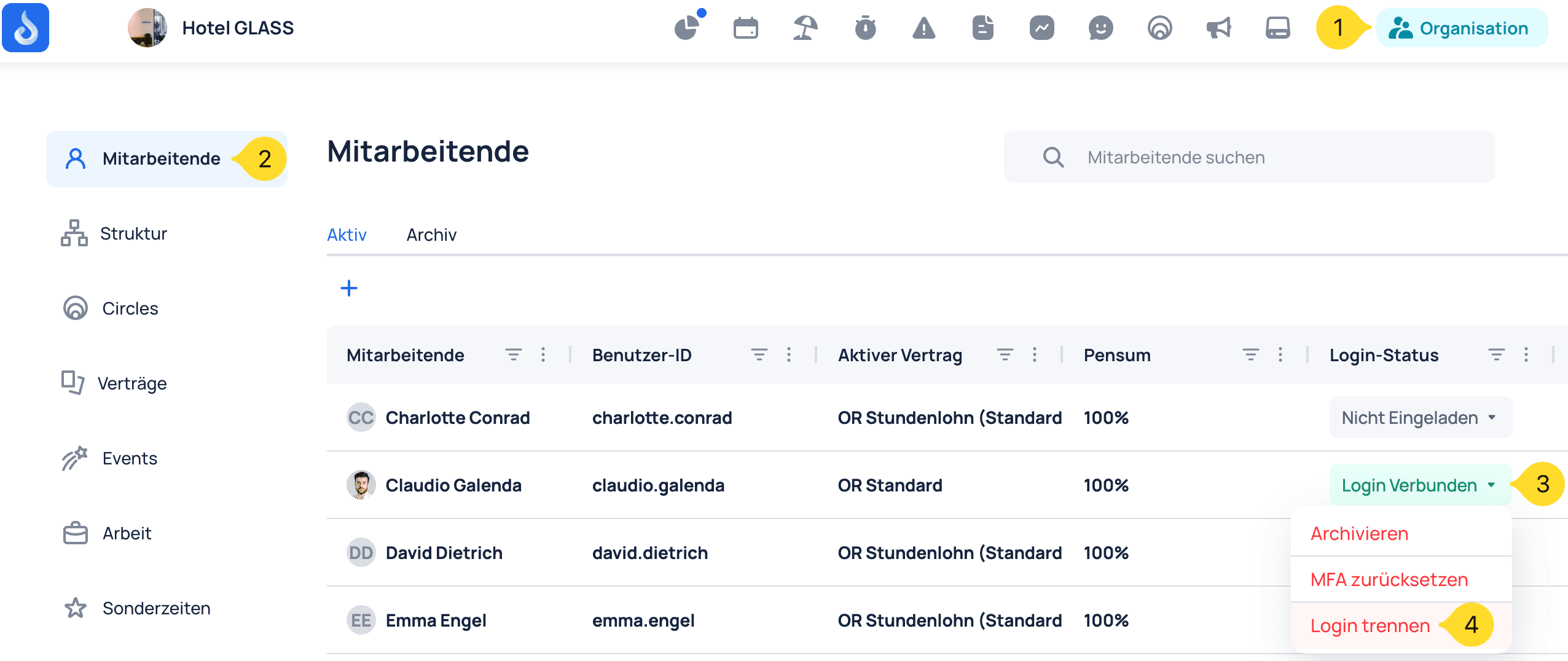
Open the organisation area and disconnect the current login from the affected employee.
- Open Organisation.
- Choose Employees.
- Open Login connected for the correct employee.
- Choose Disconnect login and confirm if prompted.
02
Invite the employee again
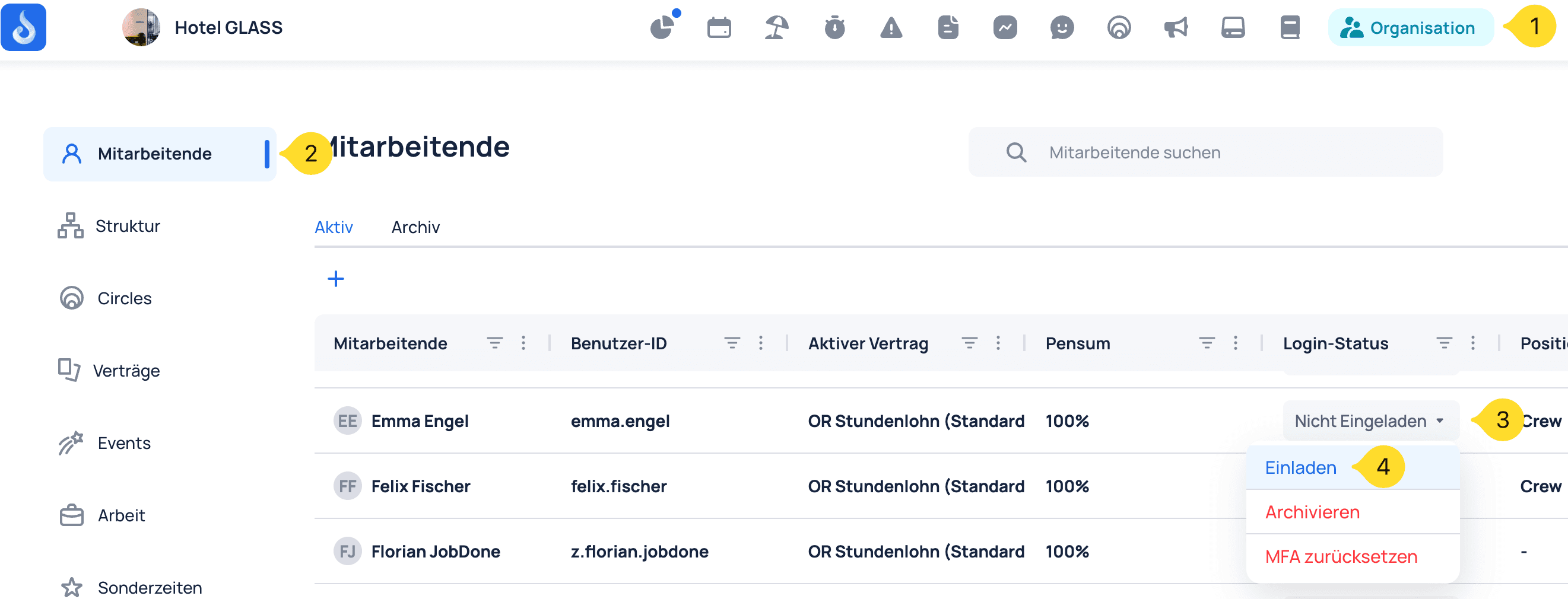
After the login is disconnected, its status changes to Not invited. Start a new invitation from there.
- Open Organisation.
- Choose Employees.
- Open Not invited for the same employee.
- Choose Invite.
03
Enter the new email address and send the invitation
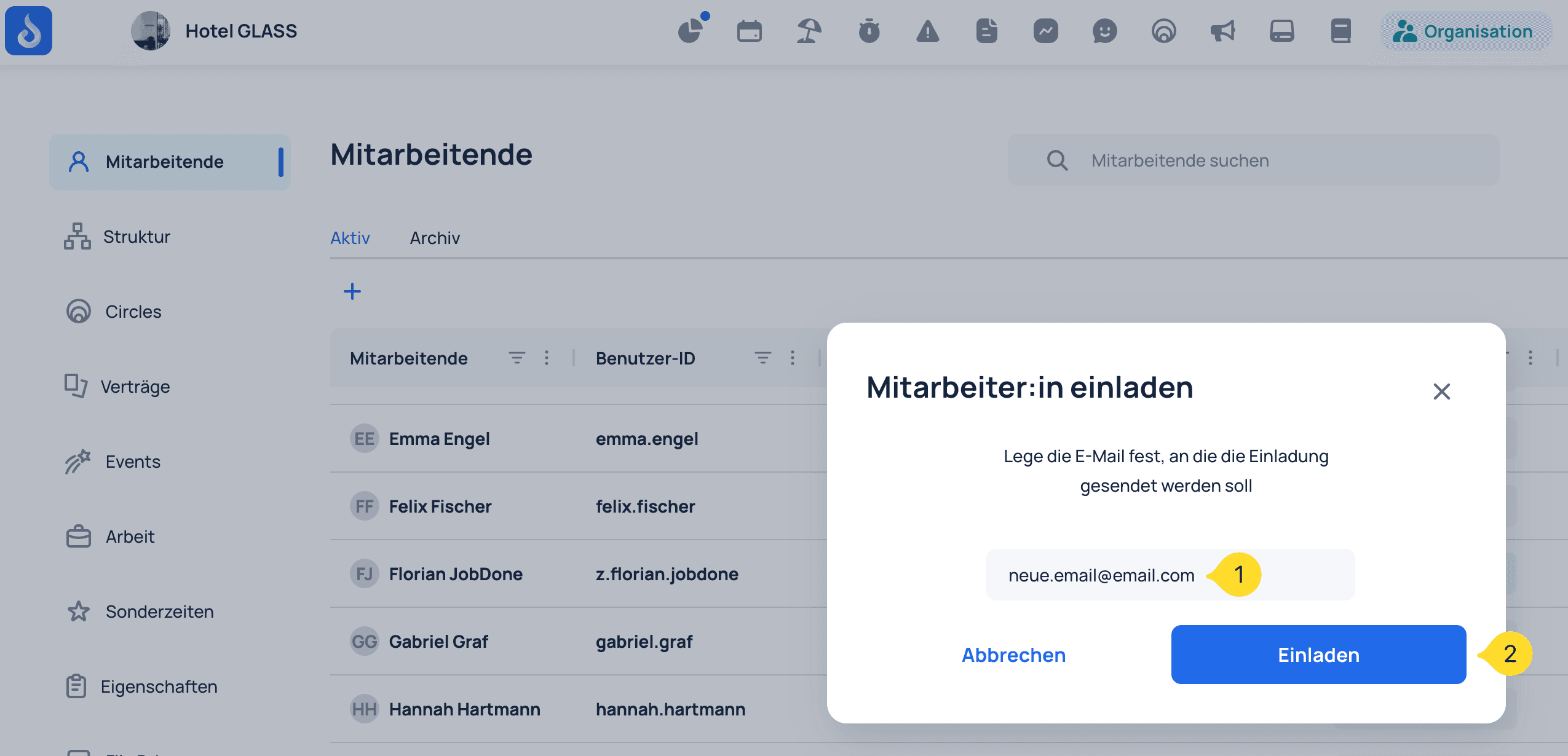
Enter the new, accessible email address. Check it carefully before sending the invitation.
- Enter the employee's new email address.
- Choose Invite.
The login is ready to be reconnected
The employee opens the invitation email and follows the link. Their existing employee record is then connected to the new login.
If the invitation email does not arrive
- Check that the email address was entered correctly.
- Check the mailbox's spam or junk folder.
- Check whether the mailbox is full and unable to receive new messages.
- For work addresses, ask your IT team whether an email filter blocked or held the message.
- Send the invitation again after checking the address, mailbox storage and filters.
- If the message still does not arrive, contact JobDone Support.